Free SEO Audit Tool for Windows
Boost It Junior crawls your whole site from your own PC and lists every broken link, missing tag, duplicate title and indexing problem it finds, with a plain how-to-fix for each. No account, no monthly fee, and your crawl data stays on your computer.
- Version 2.4
- Windows, 64-bit
- Installer, 57 MB
- No sign-up
See it in action.
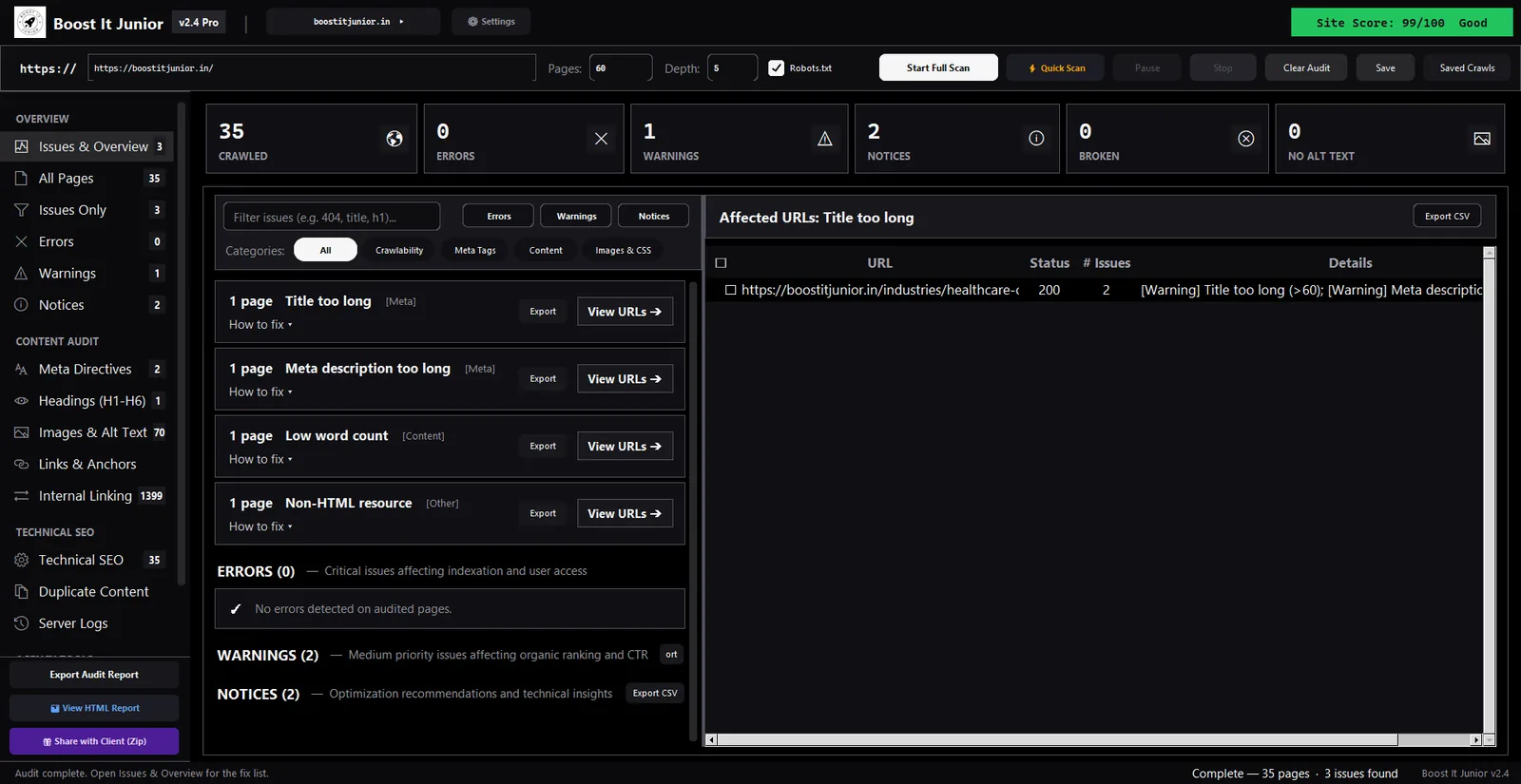
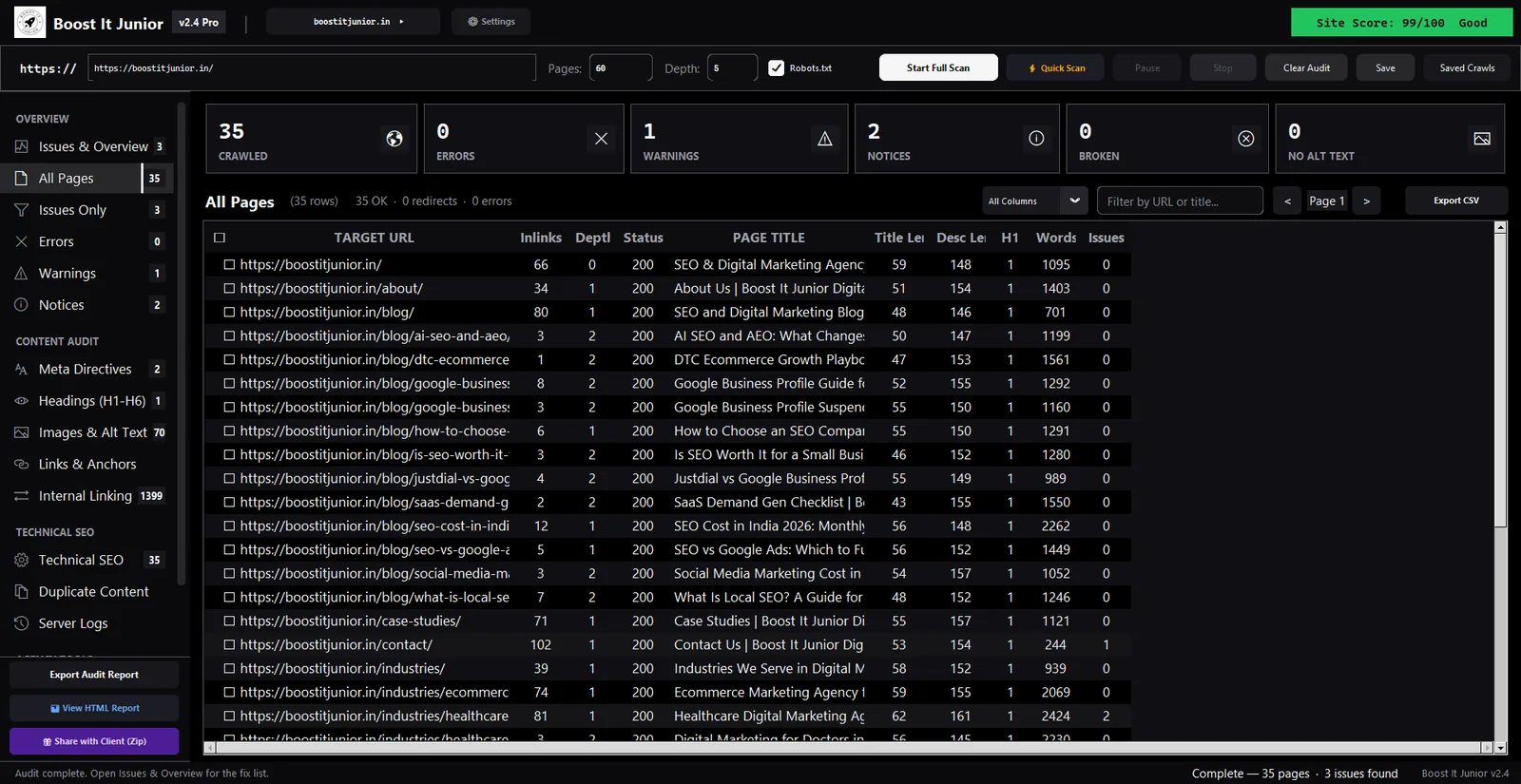
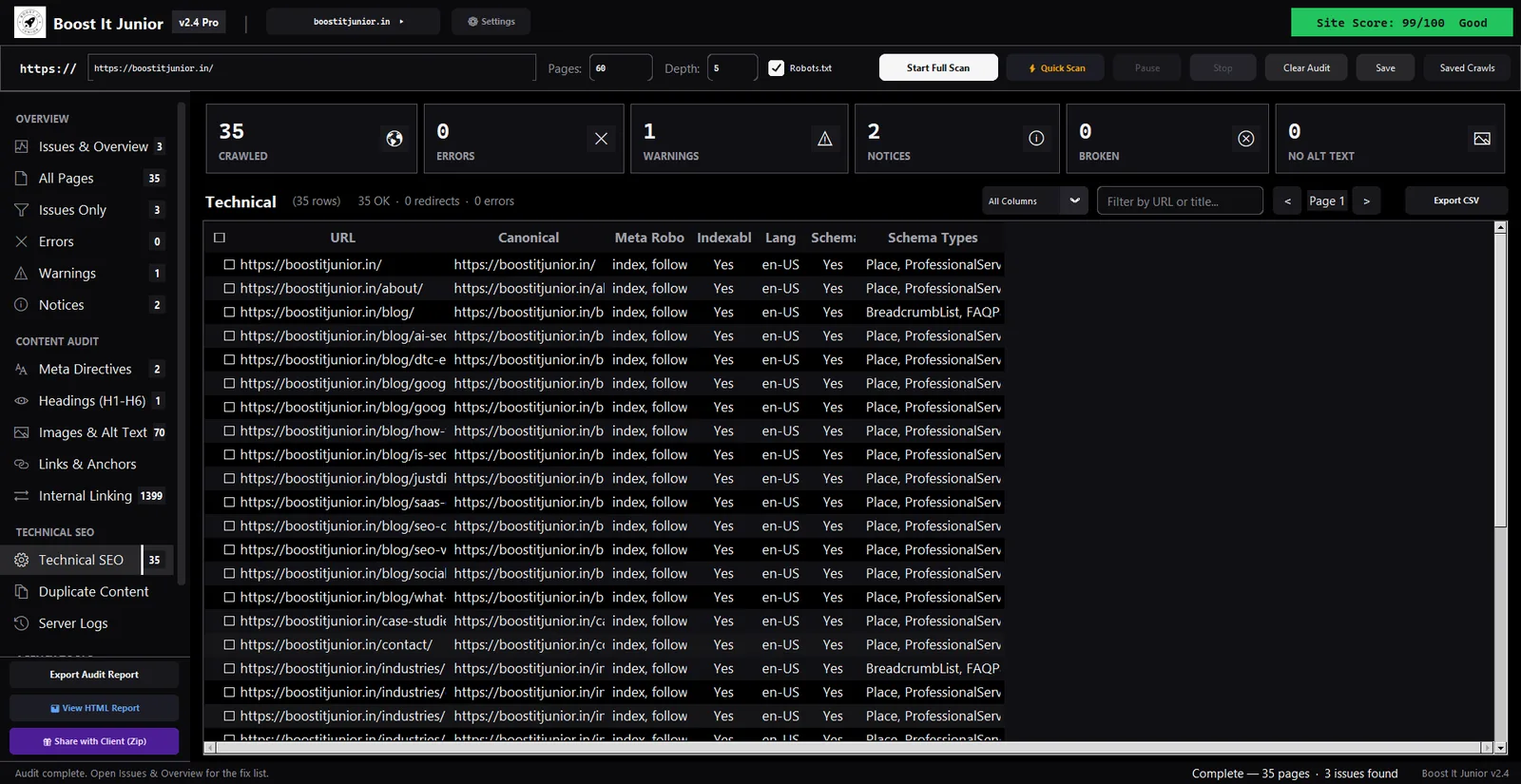
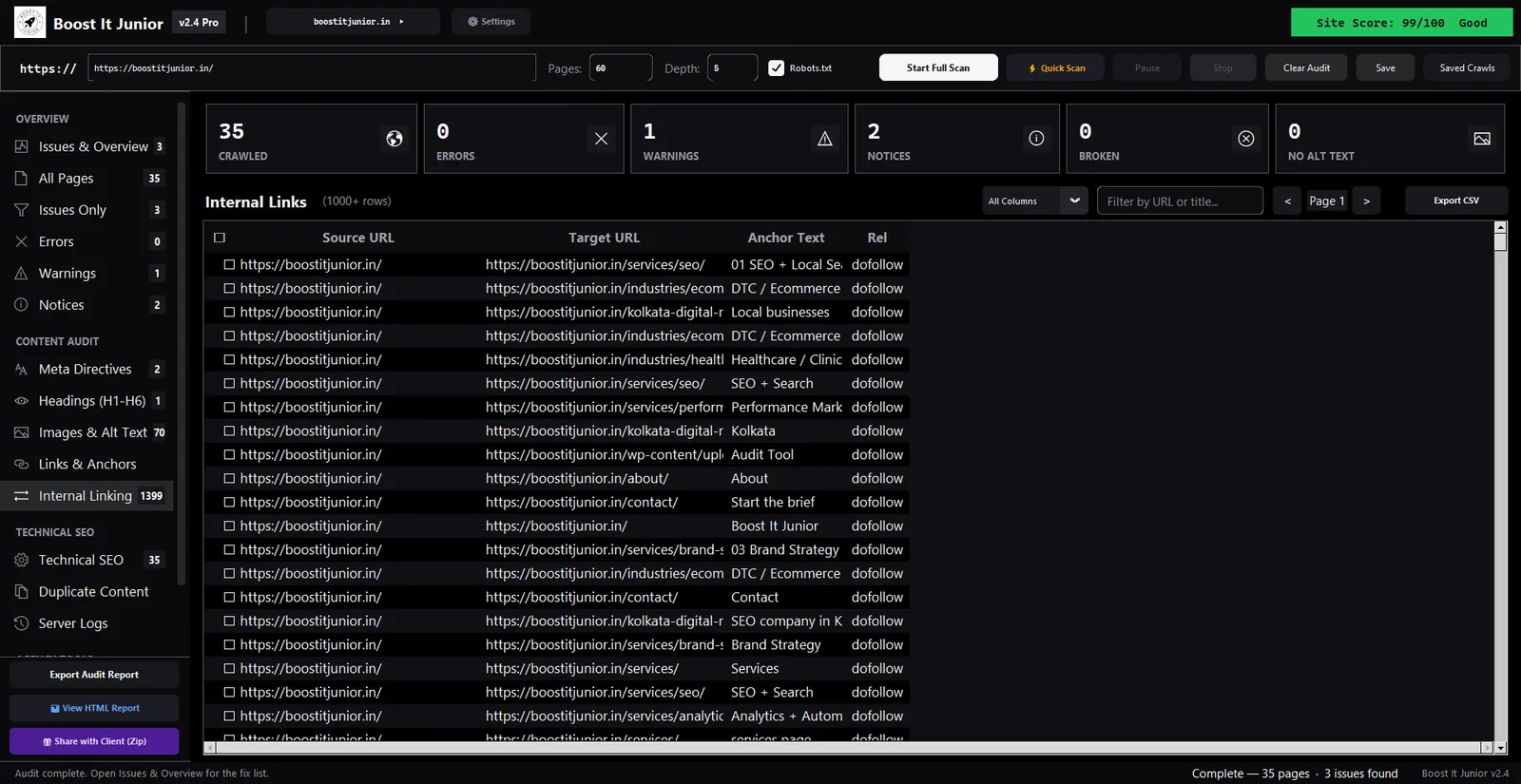
Real screenshots of version 2.4 crawling this website, boostitjunior.in: 35 pages, 3 issues.
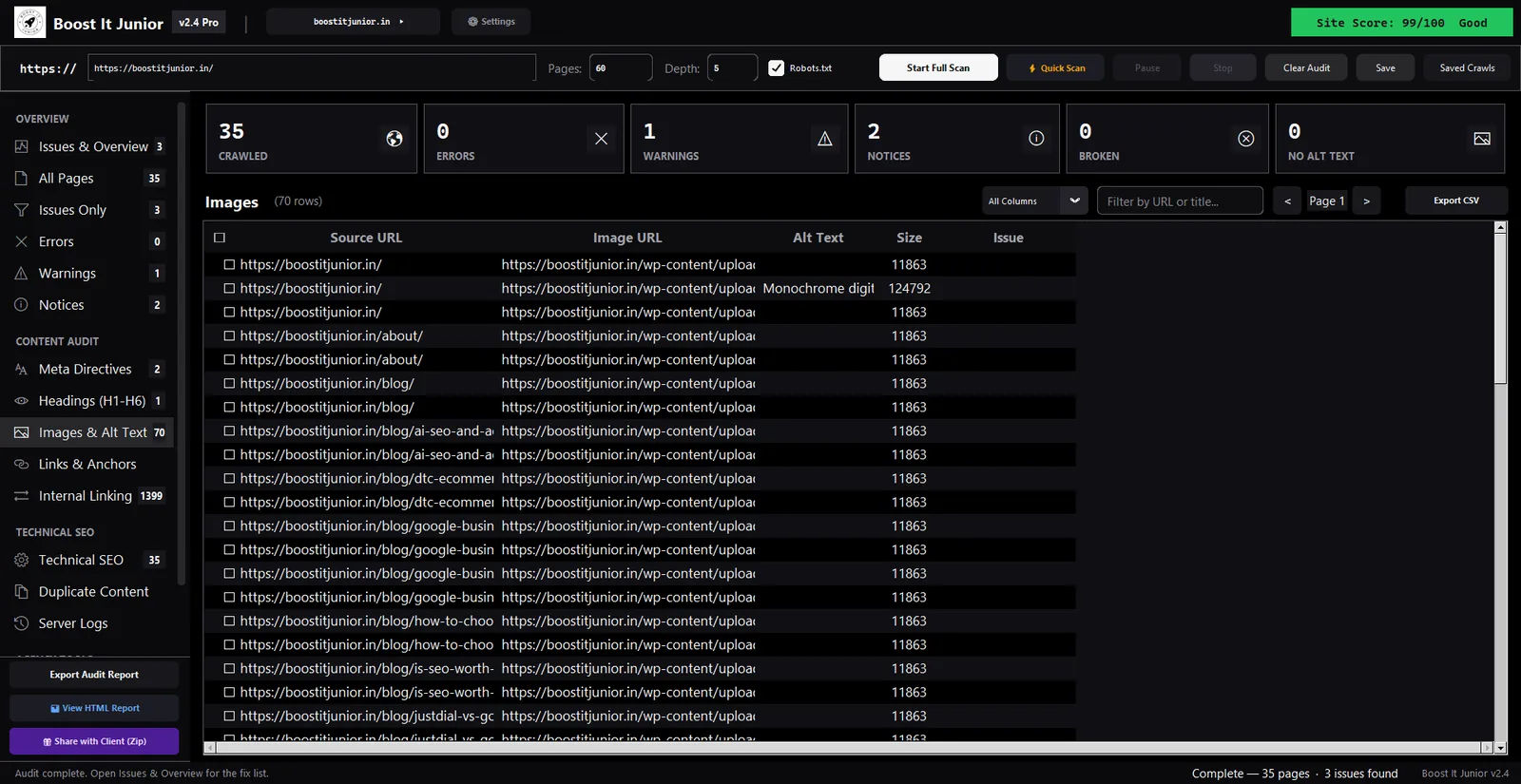
What it does.
A full technical and on-page audit of your site, run from your own computer.
Full-site crawl
Follows your links and XML sitemap from the address you enter. You set the page limit and crawl depth, and choose whether to respect robots.txt.
Issues with fixes
Errors, warnings and notices, each with why it matters and step-by-step guidance on how to fix it.
Titles and descriptions
Missing, too short, too long or duplicated across pages, plus H1 to H6 for every page.
Technical SEO
Status codes, redirects, broken links, canonical tags, noindex, page language and schema types.
Duplicate content
Pages that share the same title or meta description, so they stop competing with each other.
Server log analysis
Import a server access log and analyse the requests, with an option to mask IP addresses.
Reports and exports
Export to CSV or Excel, open an HTML audit report, or package the results as a zip to share with a client.
Saved crawls
Save an audit and reopen it later, so you can come back to the results without crawling again.
Works on localhost
Crawl a site running on your own machine, such as localhost:8000, before it goes live.
Install it in a minute.
It installs for your Windows account only, so you don't need admin rights.
Download
Get the installer, Boost-It-Junior-Setup.exe (57 MB).
Run the installer
Choose whether you want a desktop shortcut, and the app opens when it finishes.
Start a scan
Type your site's address and press Start Full Scan. Results fill in as pages are crawled.
Your data stays on your PC.
Cloud crawlers keep your crawl on their servers. This one keeps it on yours.
- Crawls go straight to your siteRequests go from your computer to the site you are auditing. Nothing passes through us.
- Results are stored locallyCrawls, saved audits and settings are kept in a local database in your Windows user folder.
- No account, no telemetryThere is nothing to sign up for, and the app does not report what you crawl.
What it doesn't do yet.
- JavaScript-only contentIt reads the HTML your server sends. Text and links that only appear after JavaScript runs are not crawled yet. To check one JavaScript page, use the raw vs rendered view in our free Chrome extension.
- Backlinks and keywordsIt audits your site, not the web. It has no backlink index or keyword search volumes.
- Mac and LinuxIt runs on Windows only, 64-bit.
Whole site, or one page?
The audit tool crawls every page. For a quick check of the page in front of you, use our free Chrome extension.
| Desktop audit tool | Chrome extension | |
|---|---|---|
| Checks | Every page it can reach on your site | The page open in your tab |
| Runs on | Windows (64-bit) | Chrome, on any computer |
| Best for | Full audits, site launches and client reports | Quick checks before and after you change a page |
| Finds | Broken links, duplicate titles and missing tags across the site | A ranked fix list for one page |
| Price | Free | Free |
Questions.
Is it really free?
Yes. Version 2.4 is free to download and use, with no account and no trial period.
How many pages can it crawl?
You set the limit before each scan. It starts at 200 pages, and you can raise it. Bigger sites simply take longer, and the crawl runs on your own PC and connection.
Why does Windows warn me when I run the installer?
The installer isn't code-signed yet, so Windows SmartScreen doesn't recognise it. Click More info, then Run anyway. Nothing else about the install is unusual: it installs for your account, adds a Start menu shortcut and registers an uninstaller.
Does it work on a Mac?
No. It runs on 64-bit Windows only. On a Mac, our Chrome extension checks one page at a time.
Where is my data stored?
On your computer, in a local database in your Windows user folder. Uninstalling the app leaves your saved crawls in place.
Who makes it?
Boost It Junior, an SEO agency in Kolkata. Found a bug, or want a check added? Tell us.
Run your first full-site audit today.
Download for Windows